Code Style Business Card
Generate creative code-style business cards with technical aesthetic
The Prompt
## The Prompt
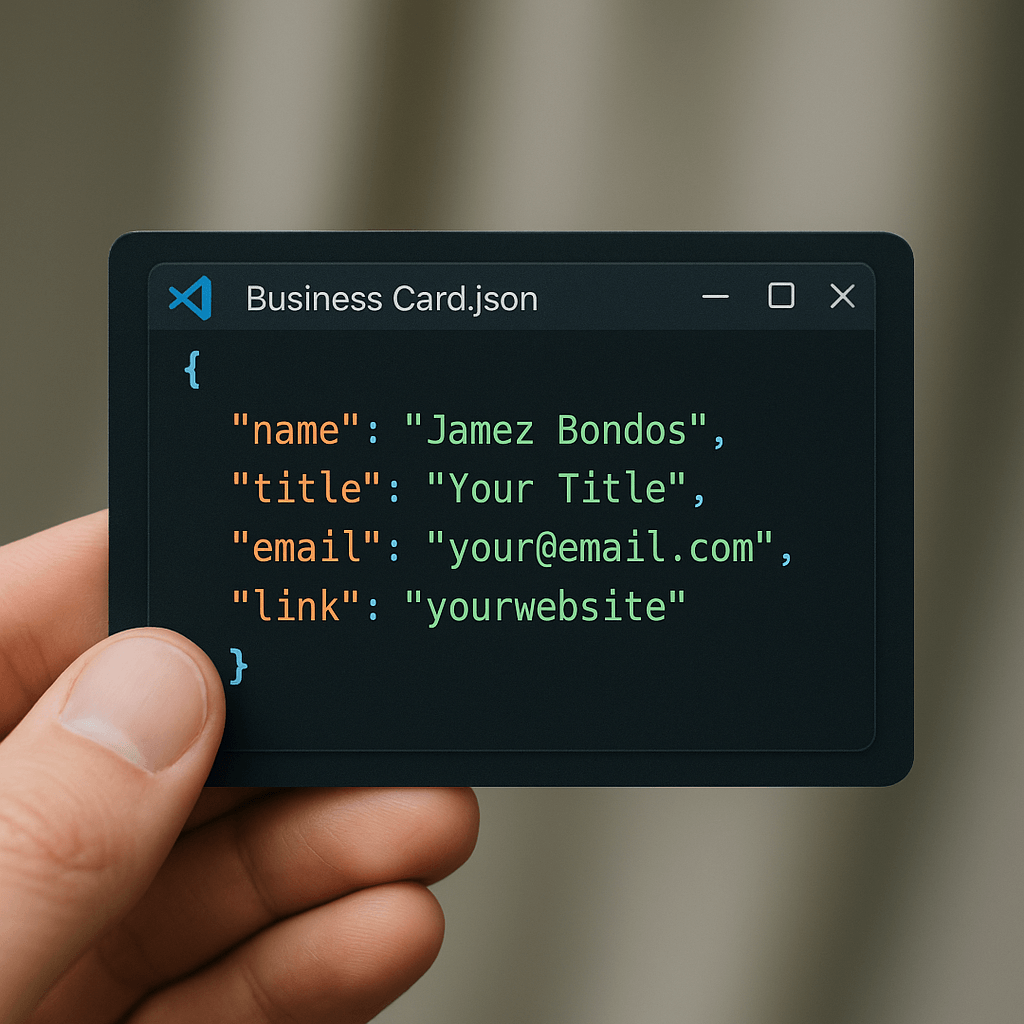
A close-up shot of a hand holding a business card designed to look like a JSON file opened in VS Code. The card shows code formatted in realistic syntax-highlighted JSON code. The window includes typical toolbar icons and a title bar labeled Business Card.json, styled exactly like the interface of VS Code. Background is slightly blurred, keeping the focus on the card.
The card displays the following code formatted in JSON:
```json
{
  "name": "Jamez Bondos",
  "title": "Your Title",
  "email": "your@email.com",
  "link": "yourwebsite"
}
```
## Tips
Replace the values of name, title, email, and link in the final JSON code. The prompt is a simplified version derived from the original source link.
## Credits
Author: [@umesh_ai](https://x.com/umesh_ai)
---
## 中文版本
**标题:** 代码风格名片
**提示词:**
特写镜头:一只手正拿着一张设计成 VS Code 中 JSON 文件外观的名片。名片上的代码以真实的 JSON 语法高亮格式呈现。窗口界面包含典型的工具栏图标和标题栏,标题显示为 Business Card.json,整体风格与 VS Code 界面完全一致。背景略微虚化,突出展示名片内容。
名片上的 JSON 代码如下所示:
```json
{
  "name": "Jamez Bondos",
  "title": "Your Title",
  "email": "your@email.com",
  "link": "yourwebsite"
}
```
Ready to test this prompt?
Copy it here, then open Nano Banana on C Dance AI to generate or refine the result with your own references.

The Prompt
A close-up shot of a hand holding a business card designed to look like a JSON file opened in VS Code. The card shows code formatted in realistic syntax-highlighted JSON code. The window includes typical toolbar icons and a title bar labeled Business Card.json, styled exactly like the interface of VS Code. Background is slightly blurred, keeping the focus on the card. The card displays the following code formatted in JSON:
{
"name": "Jamez Bondos",
"title": "Your Title",
"email": "your@email.com",
"link": "yourwebsite"
}
Tips
Replace the values of name, title, email, and link in the final JSON code. The prompt is a simplified version derived from the original source link.
Credits
Author: @umesh_ai
中文版本
标题: 代码风格名片
提示词:
特写镜头:一只手正拿着一张设计成 VS Code 中 JSON 文件外观的名片。名片上的代码以真实的 JSON 语法高亮格式呈现。窗口界面包含典型的工具栏图标和标题栏,标题显示为 Business Card.json,整体风格与 VS Code 界面完全一致。背景略微虚化,突出展示名片内容。 名片上的 JSON 代码如下所示:
{
"name": "Jamez Bondos",
"title": "Your Title",
"email": "your@email.com",
"link": "yourwebsite"
}
Related Prompts
Code Review Assistant
Get detailed code reviews with suggestions for improvements and best practices
Character Stepping Through Portal
A 3D chibi-style version of the person in the photo is stepping through a glowing portal, reaching out and holding the viewer’s hand. As the character pulls the viewer forward, they turn back with a d...
Awesome GPT-4o Images ✨
Guide for creating effective headers and titles